Threads Unfollower Tracking Guide
Find out who unfollowed you easily and safely.
Precautions
- <span class="highlight">"All Time" selection required</span> - For accurate analysis, the date range must be set to "All Time".
- <span class="highlight">JSON format required</span> - Analysis is not possible with HTML format.
- Processing time - Depending on the number of followers, data preparation may take some time (up to several hours).
- Upload ZIP file as is - Do not unzip, upload the downloaded ZIP file exactly as it is.
Access Profile and Settings Menu
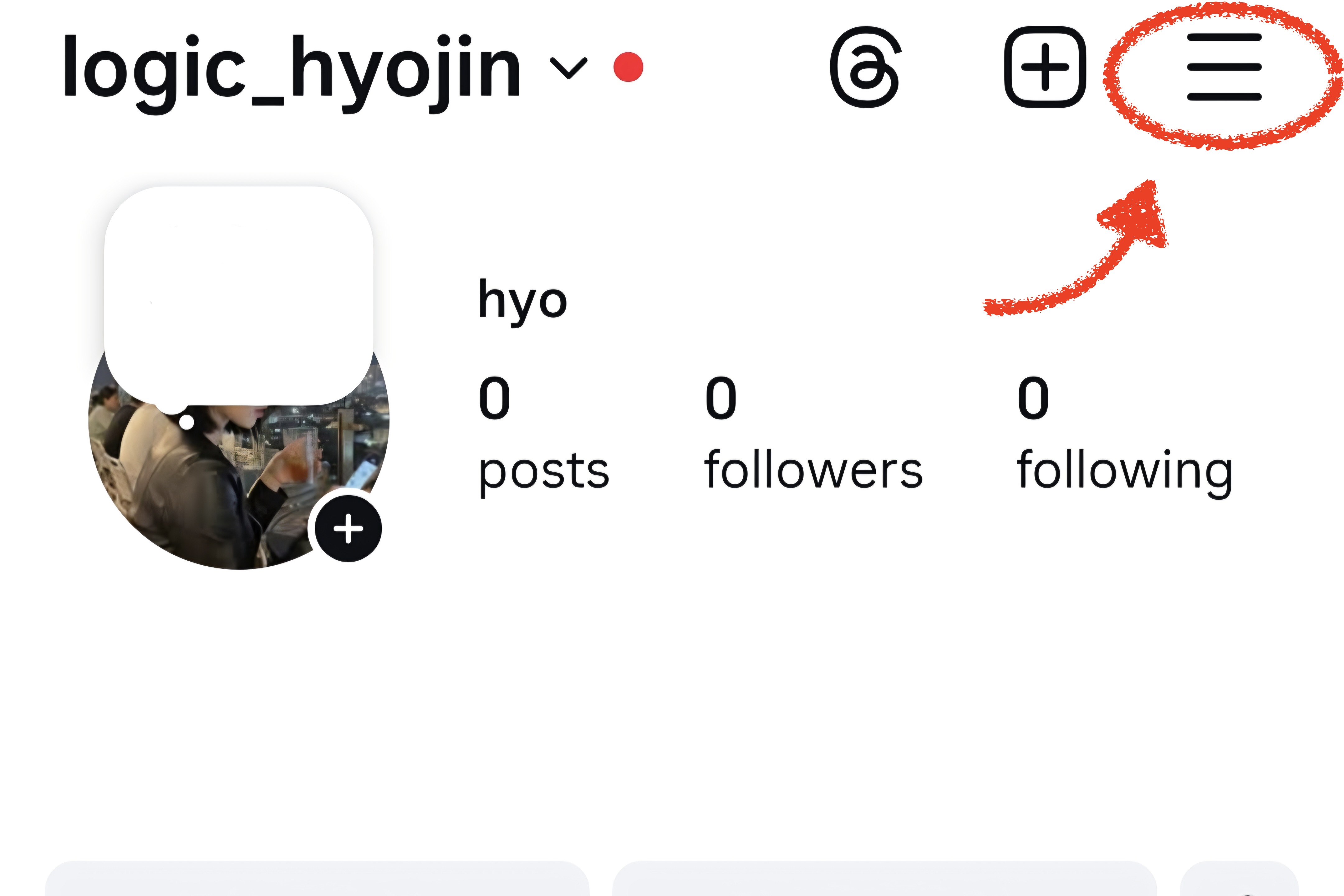
Go to your profile on the Instagram app or website and tap the '≡' menu in the top right corner.
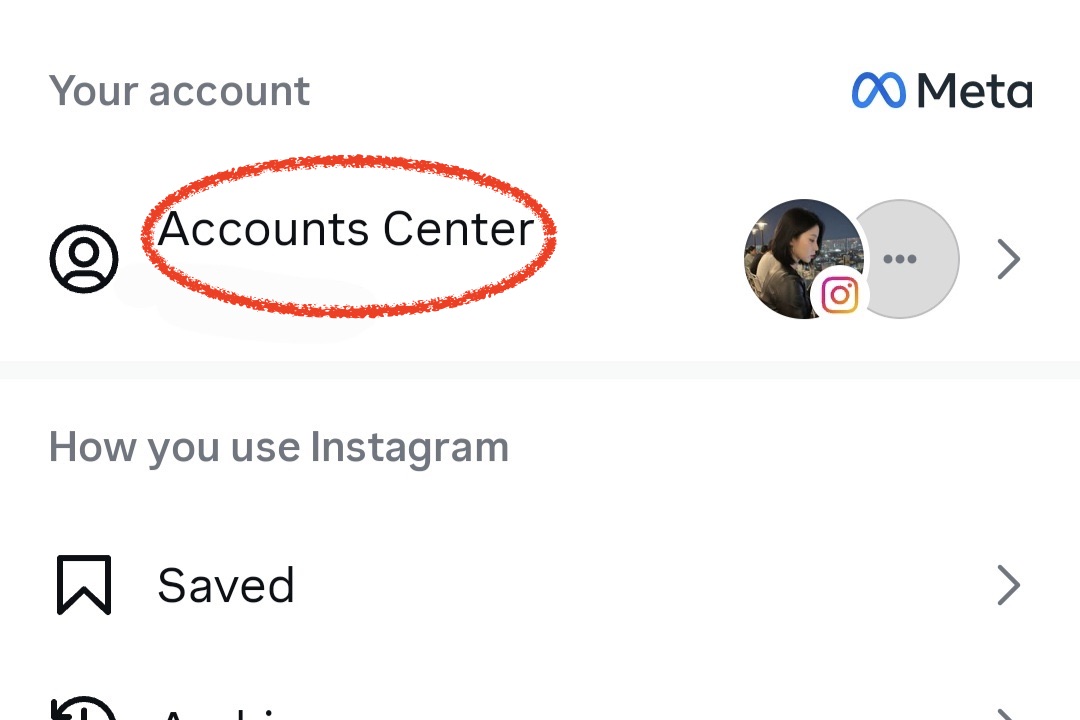
Select "Accounts Center"
Find and select "Accounts Center" in the settings menu.
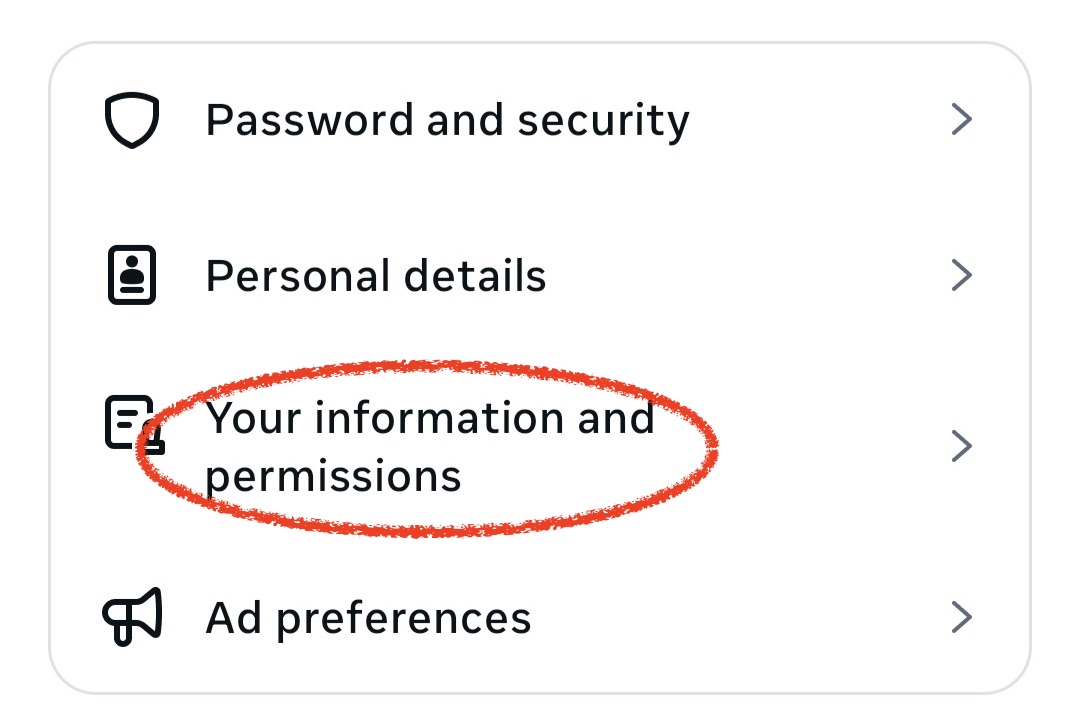
Select "Your information and permissions"
Select "Your information and permissions" in the Accounts Center.
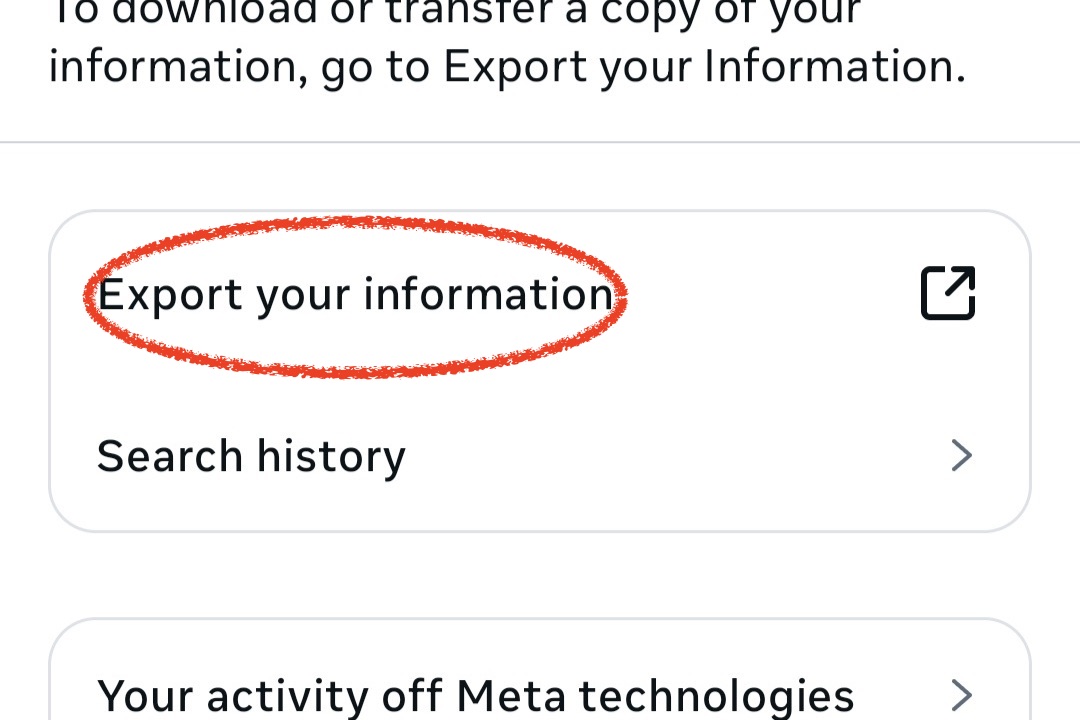
Select "Download your information"
Select "Download your information" from the menu.
Select "Create a new export"
Tap the "Create a new export" button in the menu that appears.
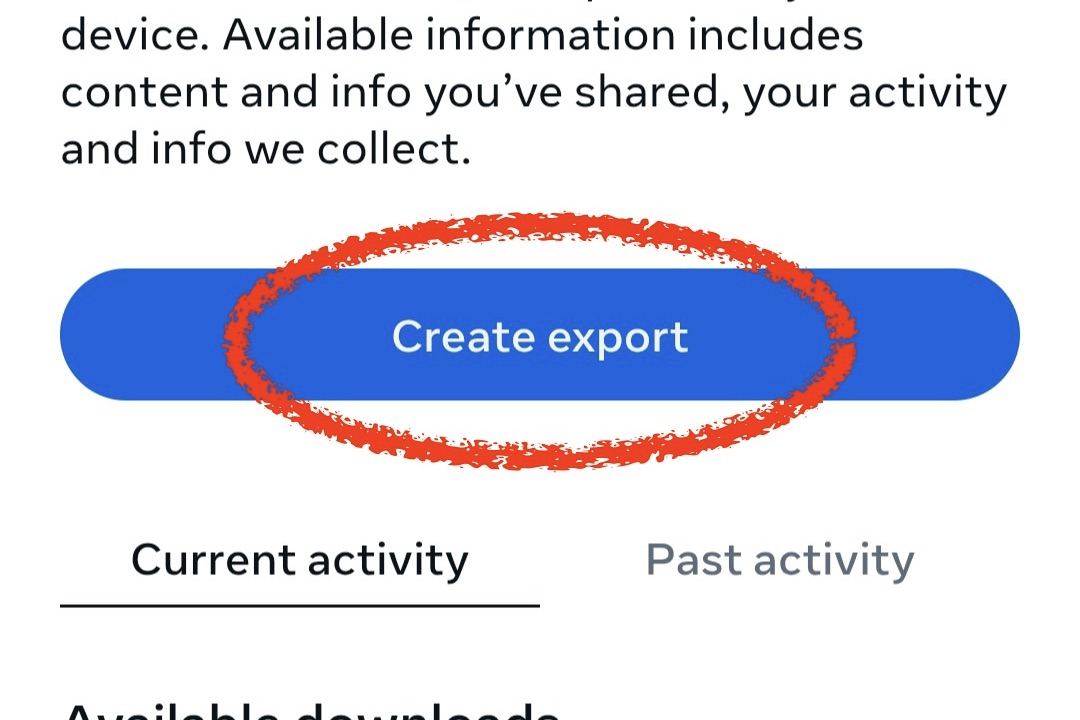
Select Export Location
Select "Download to device".
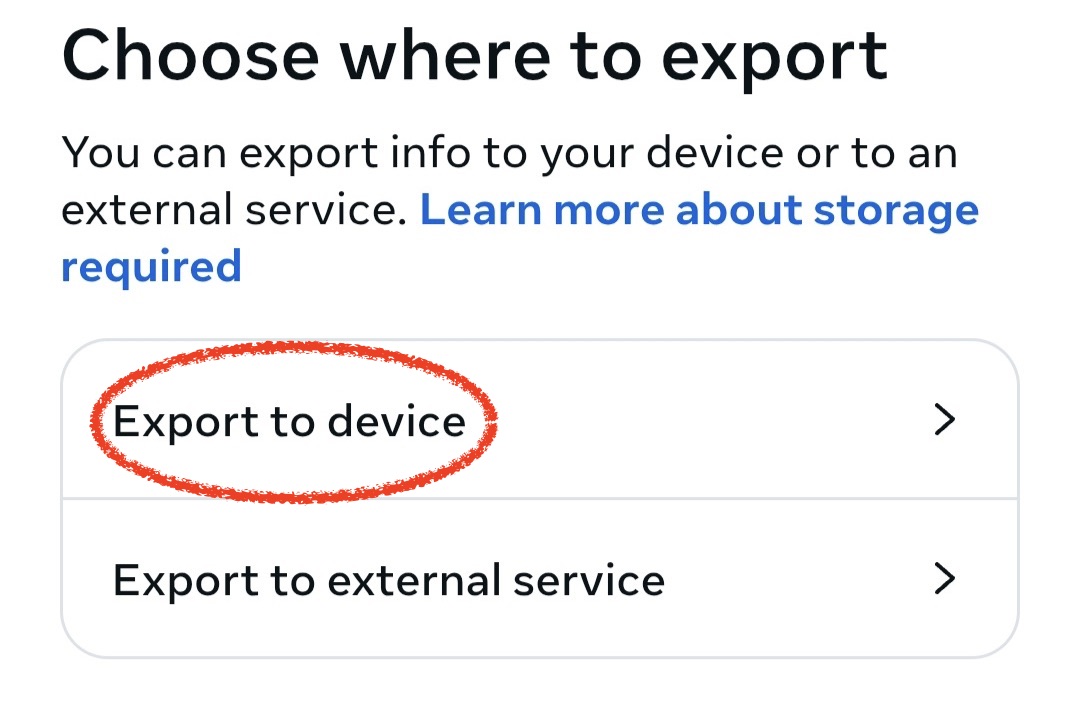
Customize Information
On the customization screen, select ONLY <span class="highlight">"threads"</span>, set the Date Range to <span class="highlight">"All Time"</span>, and Format to <span class="highlight">"JSON"</span>.
⚠️ Very Important:
- • Only the combination of All Time + JSON format allows for accurate analysis
- • Do NOT check "follow" or "followers"
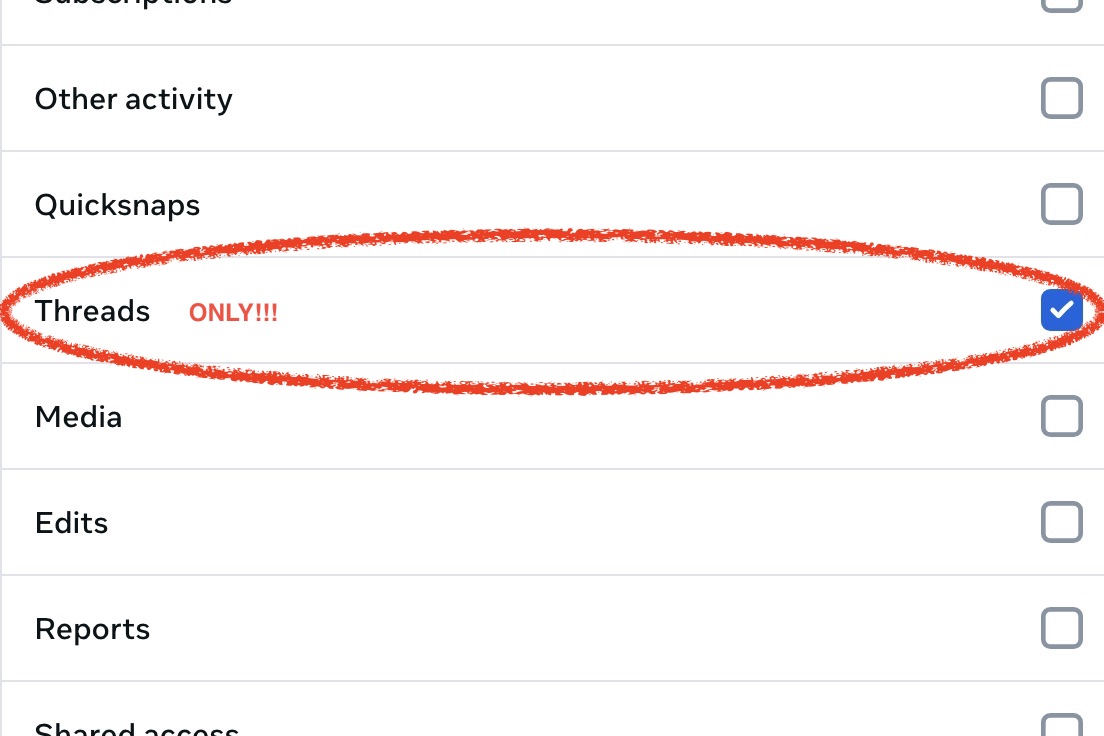
Start Export
Click the 'Start Export' button. Data preparation will begin.
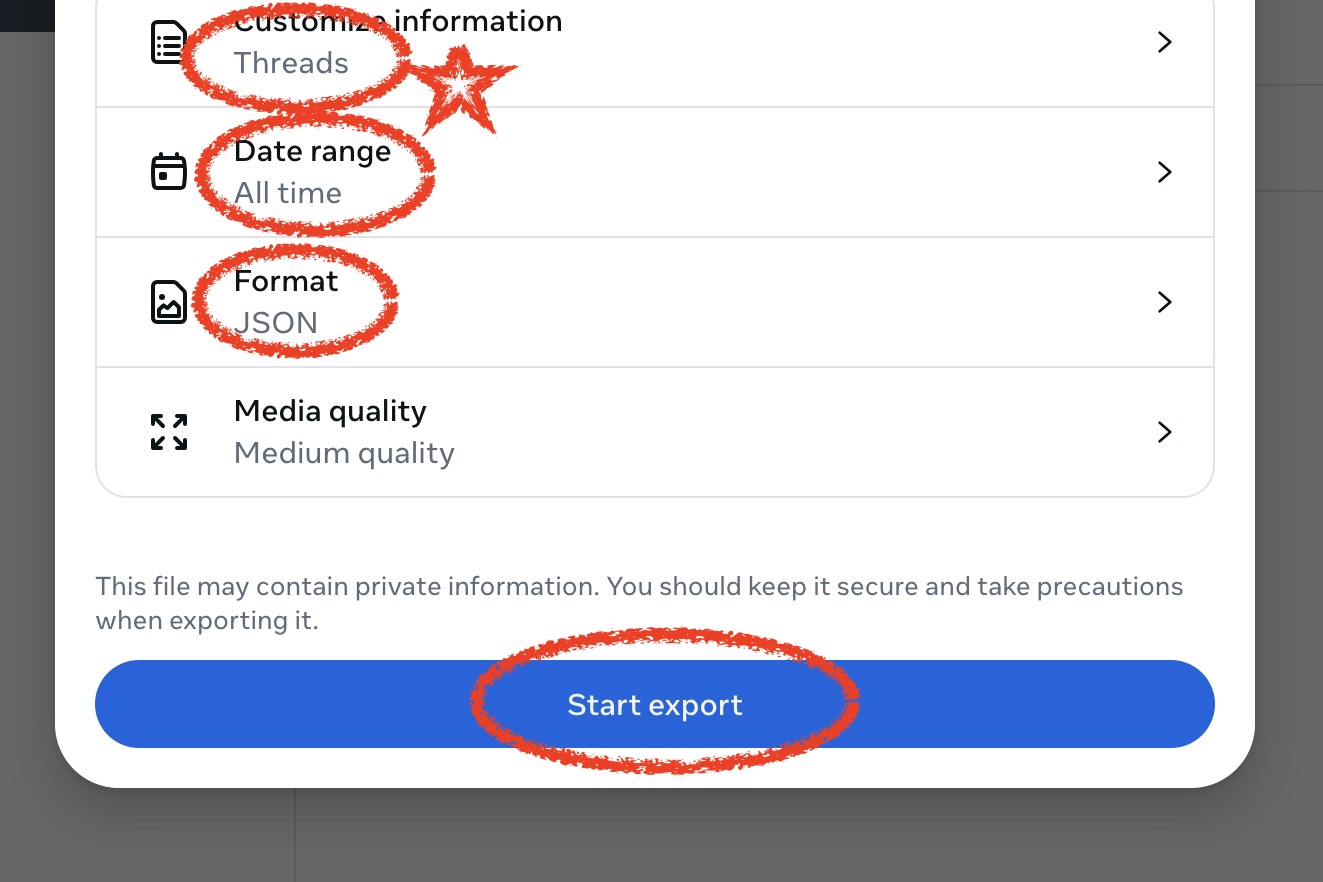
Download Data
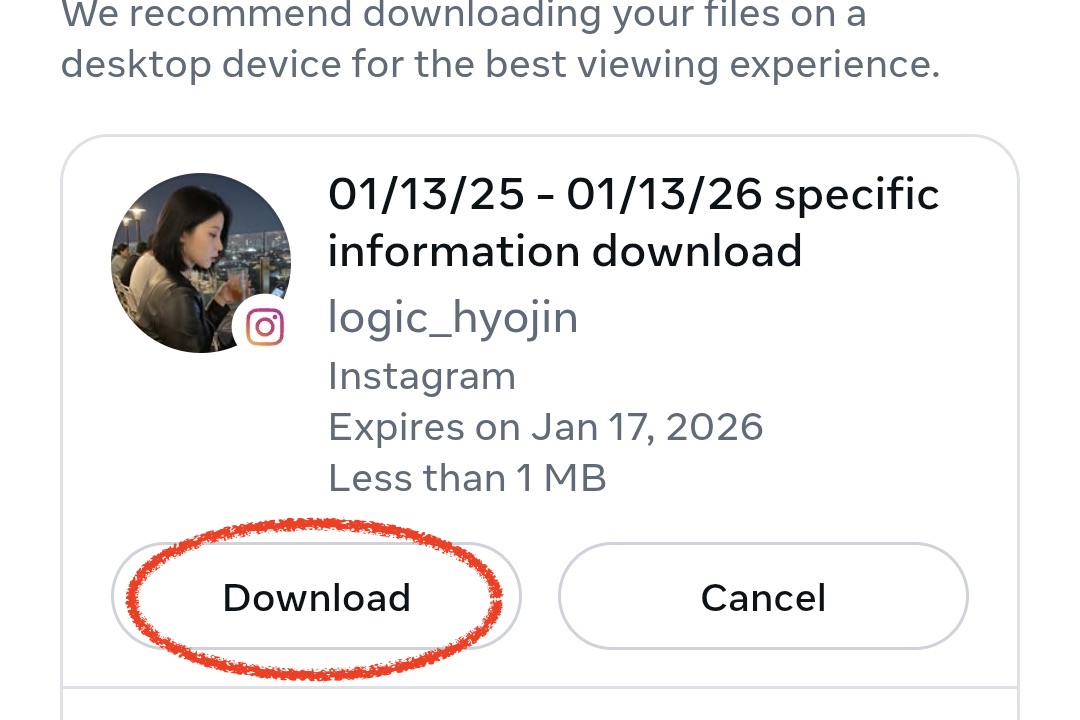
Once notified via email, return to Instagram and download the prepared file.
Upload to Feedbuddi
Upload the downloaded ZIP file to the Feedbuddi website as it is for automatic analysis.
Analyze Instagram Unfollowers
Upload your Instagram ZIP file and start analyzing right away
Start Analysis Now →