TikTok Unfollower Tracking Guide
Find out who unfollowed you easily and safely.
Precautions
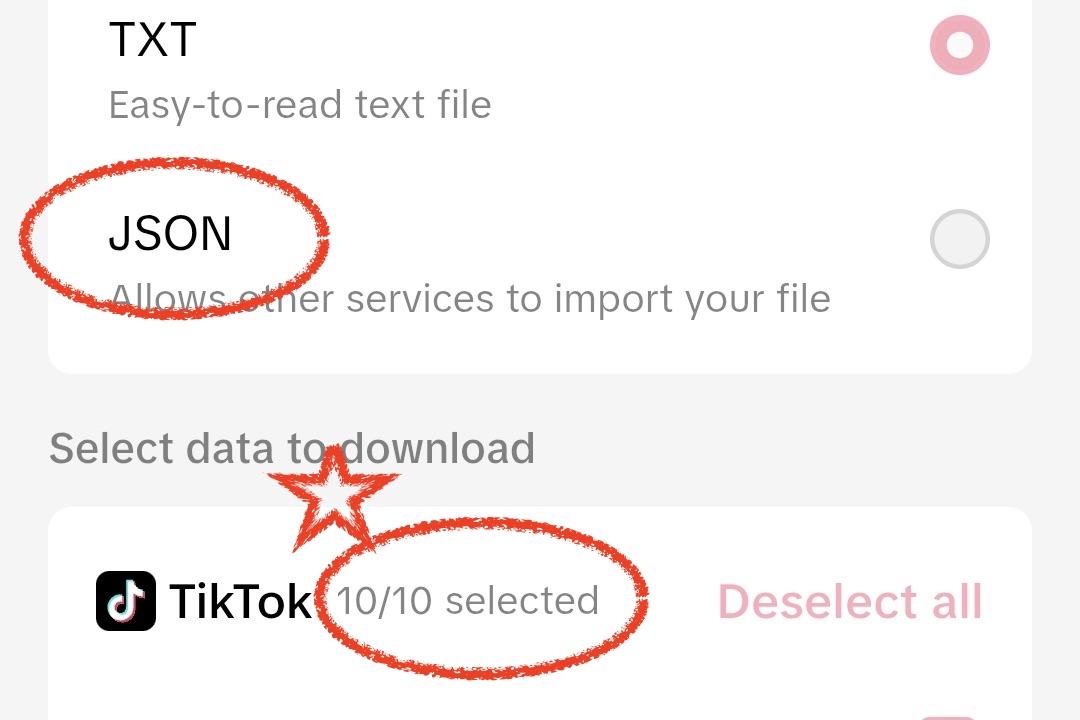
- <span class="highlight">"All Data" Selection Required</span> - You must set the data to "Select All" for accurate analysis.
- <span class="highlight">JSON Format Required</span> - Analysis is not possible with HTML format.
- Processing Time - The more followers you have, the longer it may take to prepare data (up to several hours).
- Upload ZIP file as is - Upload the downloaded ZIP file without unzipping it.
1
Access Profile and Settings Menu
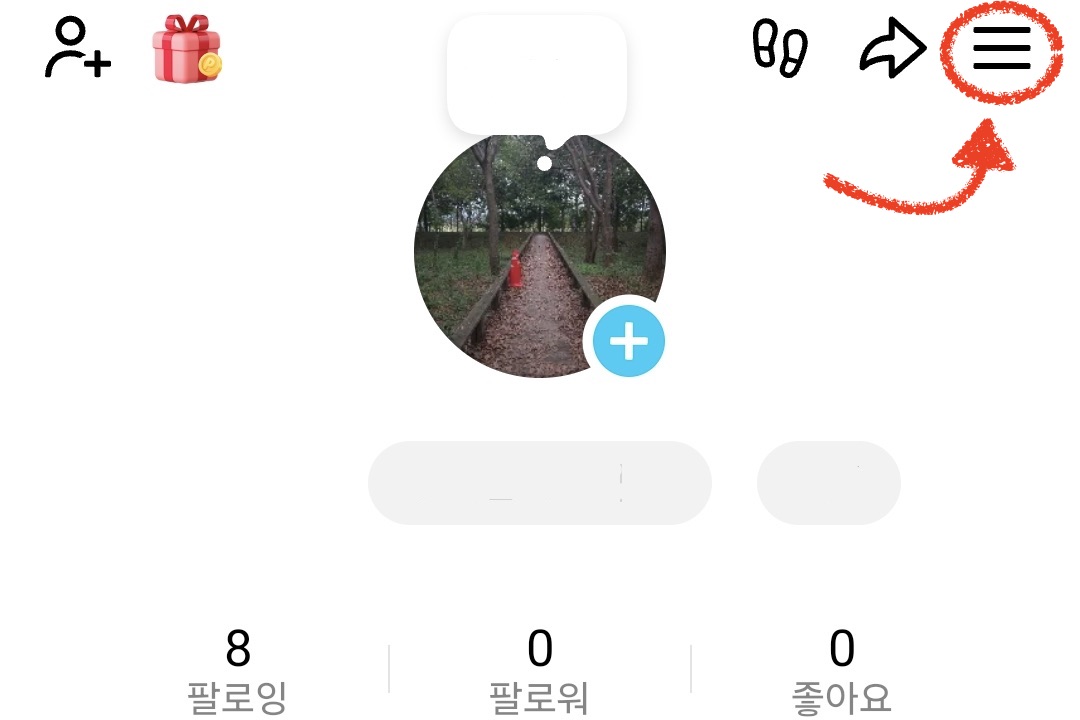
Go to your profile in the TikTok app or web, then tap the "≡" menu in the top right.
💡 <strong>Tip:</strong> Menu locations may vary slightly between the mobile app and website.
2
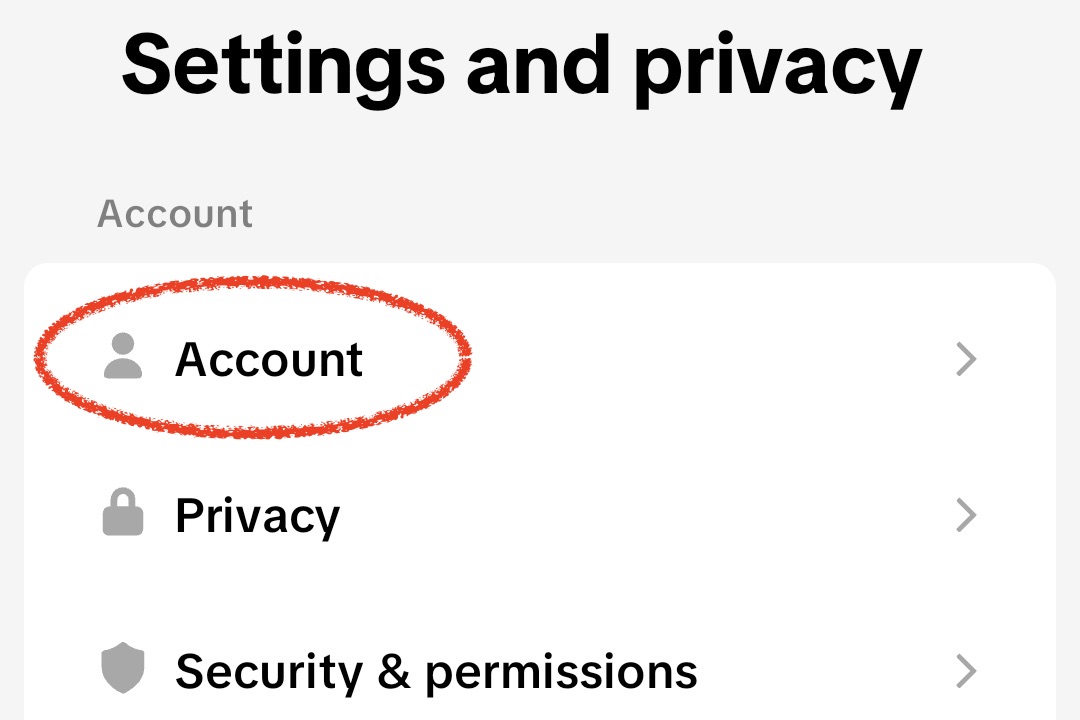
Select "Account"
Find and select "Account" in the settings menu.
3
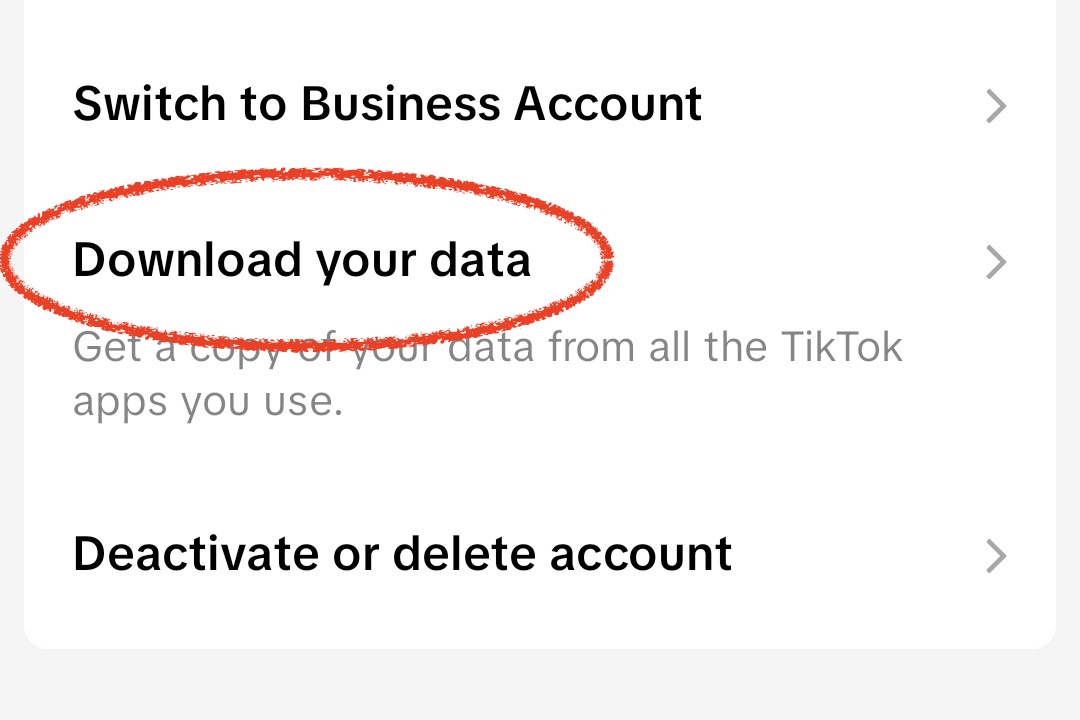
Select "Download Data"
Select "Download Data" from the Account section.
4
Select "Download Your Information"
Select "JSON" for the format and "Select All" for the data range.
5
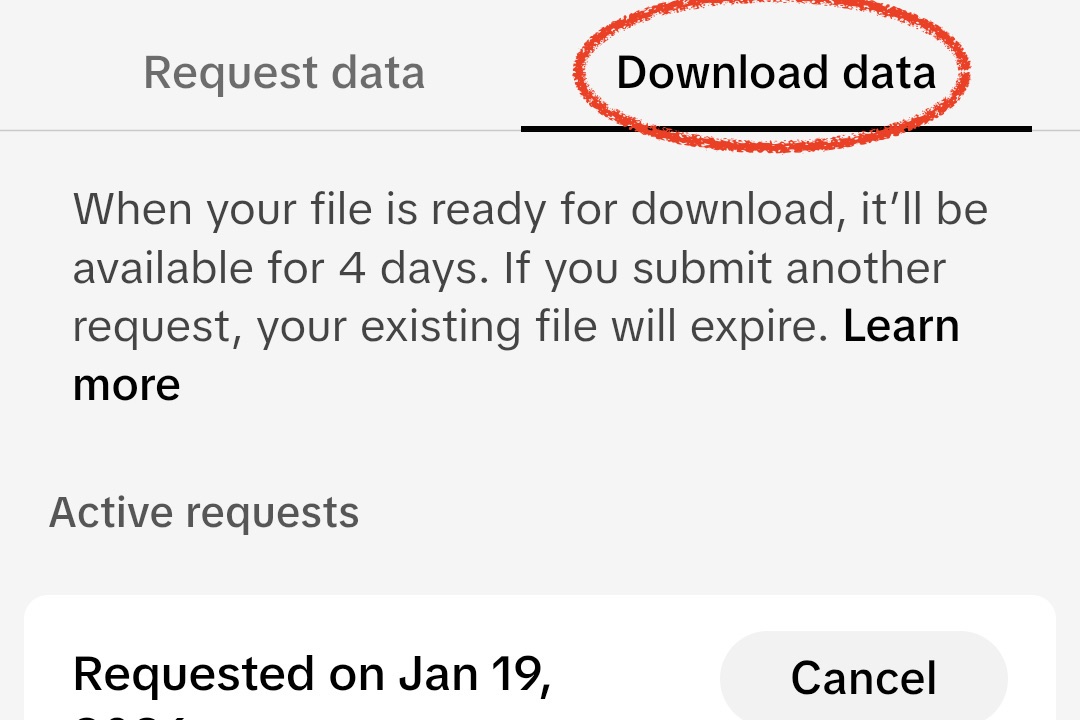
Download ZIP file when "Download Data" tab is active
Download the file once the download button becomes active in the Download Data tab.
💡 <strong>Note:</strong> It takes time for the data download to become active.
6
Upload to Feedbuddi
Upload the downloaded ZIP file to the Feedbuddi website as-is and the unfollower analysis will run automatically.
💡 <strong>Done!</strong> Do not unzip the file. Just upload it as it is.
Analyze Instagram Unfollowers
Upload your Instagram ZIP file and start analyzing now
Start Analysis Now →